Site measurement
Capture edges, diagonals, tagged corners and optional reductions in a field-friendly interface.
Purpose-built tools for the information that moves through a shade sail job—from site measurements and geometry through pattern development, material layout and installation reference.
Capture edges, diagonals, tagged corners and optional reductions in a field-friendly interface.
Work with 3, 4, 5 and 6 point sails using the diagonals appropriate to each shape.
Apply individual reductions while retaining the original measured dimensions for reference.
Control edge curve values in millimetres and review the resulting pattern geometry.
Add a measured midpoint on an edge with its own reduction and independent curve percentages on either side.
Move between plan, pattern and clean fabrication layouts without losing the underlying job data.
Review post heights and sail geometry spatially without changing the 2D pattern dimensions.
Save and reload job information including material product and colour for later use.
Produce job sheets with inputs, pattern drawings, clean pattern layouts and optional 3D information.
ShadeCAD is designed so measured dimensions remain meaningful throughout the workflow. Measured diagonals can be distinguished from calculated diagonals, while reductions and curve development are applied to the pattern.
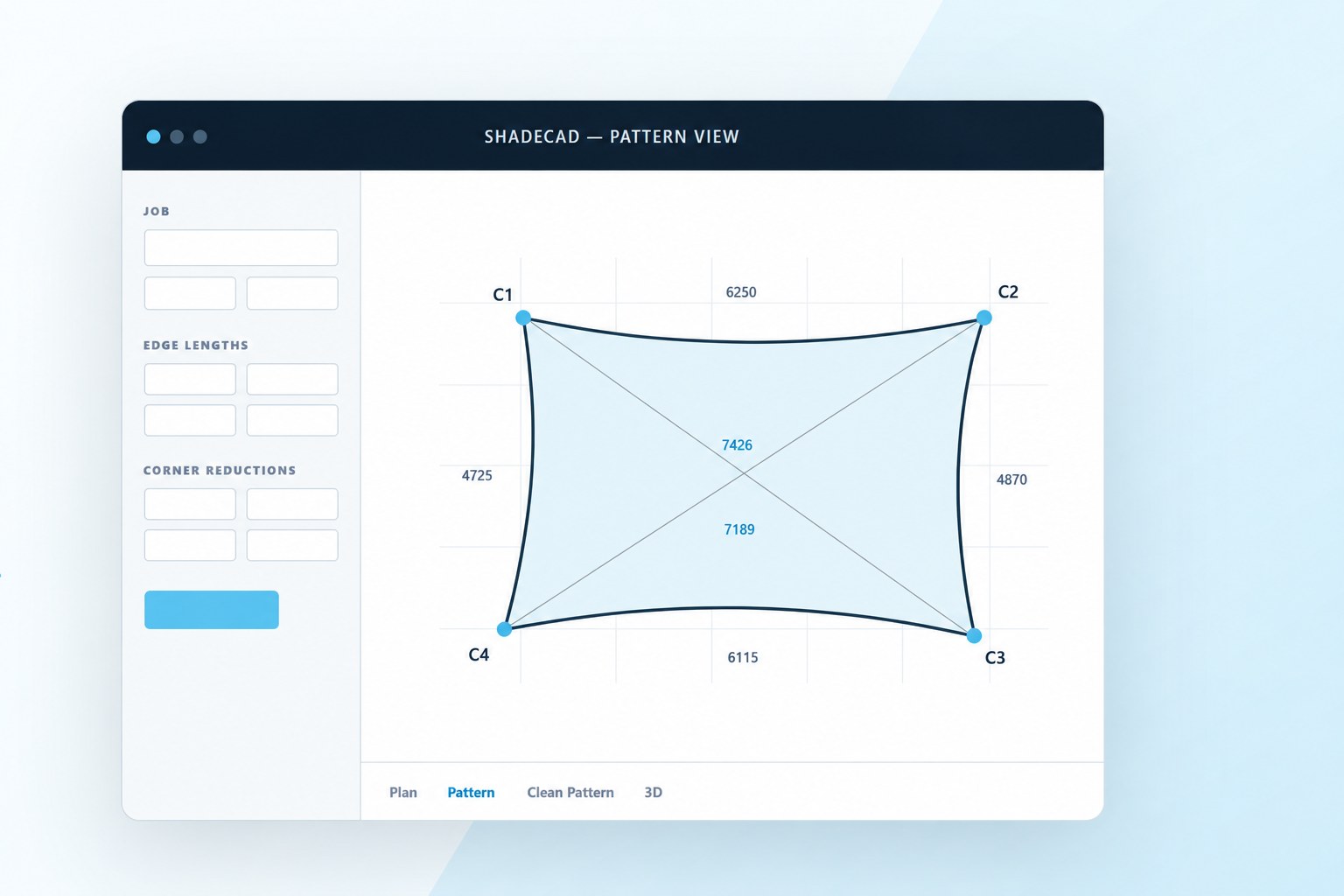

Pattern View brings reductions, curves and dimensions together visually. Clean Pattern focuses on fabrication, showing a true shade sail form together with material layout rectangles and annotations where required.
ShadeCAD Site Measure is intentionally focused on the information needed on site. It can be used for a new measure and later as a read-only reference for installers returning to fit the sail.
Save jobs for later, carry material details with the file and produce multi-page PDF information for workshop or records.
Store job geometry, material details and settings in a reusable job file.
Create input, pattern, clean pattern and optional 3D pages from the current job.
Use post heights, rotation and elevation controls to review the sail in 3D.